StreamSide.

A closer look at the moment

BIG MOMENTS.
MORE CONTEXT.

The reaction is only half the story. We keep the setup, find the detail and give the moment a perspective.

THE STREAMSIDE EDIT

Original observations. Clear captions.
Credit where it belongs.

Inside the editUNPACKED / EP.01
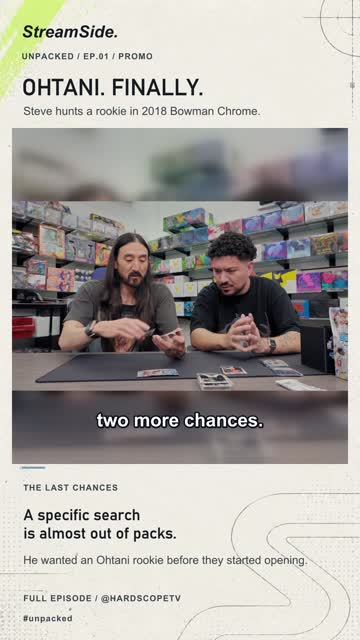
StreamSide's Ohtani clip with source footage, context and original on-screen observations.▶   Watch on YouTube
A hunt. A target. A payoff.Source: UnPacked · @HardScopeTV
Promotional campaign clip
STREAMS/SHOWS/REACTIONS/THE DETAIL YOU MISSED

More than the punchline

There’s a story
inside the clip.

A clear opening, the context that makes it click, and a thought worth taking away.

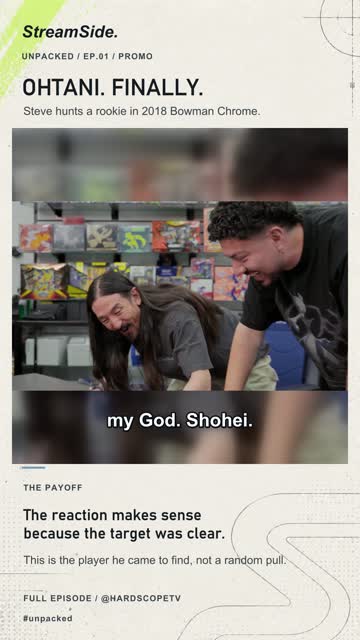
The Ohtani scene includes the observation that the reaction makes sense because the target was clear.

01 / THE PAYOFF

Why this reaction
means something.

Steve Aoki isn’t celebrating a random card. He came looking for an Ohtani rookie. Keeping that target in the clip turns the reaction into the end of a search.

“The reaction makes sense because the target was clear.”StreamSide on-screen observation
See the original episode on HardScopeTV

UnPacked Ep.01 · Promotional campaign example

How we edit

Less filler.
More meaning.

A distinctive format helps you recognise the channel. The observation changes with every scene.

01

Start with something real.

Choose a moment with a clear setup and outcome. Keep enough of the conversation for it to make sense.

02

Look beyond the dialogue.

A change in the argument, a revealing reaction or a detail in the frame gives the clip its own angle.

03

Make it easy to follow.

Readable captions, deliberate framing and text-only commentary keep the focus on what matters.

04

Keep the source in view.

Credit the original creator. Follow the source permissions and campaign requirements for each release.

Creator workflow

Prepared here.
Finished in TikTok.

Our planned integration transfers a creator-approved clip to TikTok as a draft. The creator completes the post in the TikTok app.

IN DEVELOPMENT
  1. 1
    Review the edit

    Check the clip, captions and source credit.

  2. 2
    Approve the transfer

    A connected creator explicitly chooses the clip to send.

  3. 3
    Complete the post

    Open TikTok’s notification and finish publication in TikTok.

This integration is not live. This website currently has no TikTok sign-in or upload feature.

A few things to know

Clear about
the details.

Is StreamSide an official creator account?

No. StreamSide is an independent editorial clipping channel. It is not the official account of the creators featured in its clips.

Where can I watch the clips?

Find the channel on YouTube and the profile on TikTok and Instagram. Availability differs by platform and release date.

Are some clips promotional?

Yes. Some edits are created for clipping campaigns. Promotional examples are labelled, and each release follows its applicable campaign disclosure requirements.

Can I connect my TikTok account here?

Not yet. The draft-upload integration still requires testing and TikTok approval. There is no account connection or upload form on this website.

See the moment differently

Catch the next one.